 NASJI
NASJIFree forever · No sign-up · No watermark
AVIF to DWG Converter
AVIF is too new for CAD software to read. Upload yours here and skip straight to a native DWG of editable geometry.
Drop images here, or click to choose
Conversion starts immediately. Up to 100 MB per file. You can also paste a screenshot
How to convert AVIF to DWG
Upload your AVIF file
Drop your .avif on the converter, click to browse, or paste a screenshot with Ctrl+V.
We trace the lines
AVIF is decoded natively to a lossless working image, so you avoid the extra generation loss a manual AVIF-to-JPG detour would add.
Download a real DWG
You get a native 2018-format DWG with editable LWPOLYLINE geometry on its own A-SKETCH layer — editable geometry, ready to draft on, not a picture to trace again.
What you get: lines, not pictures
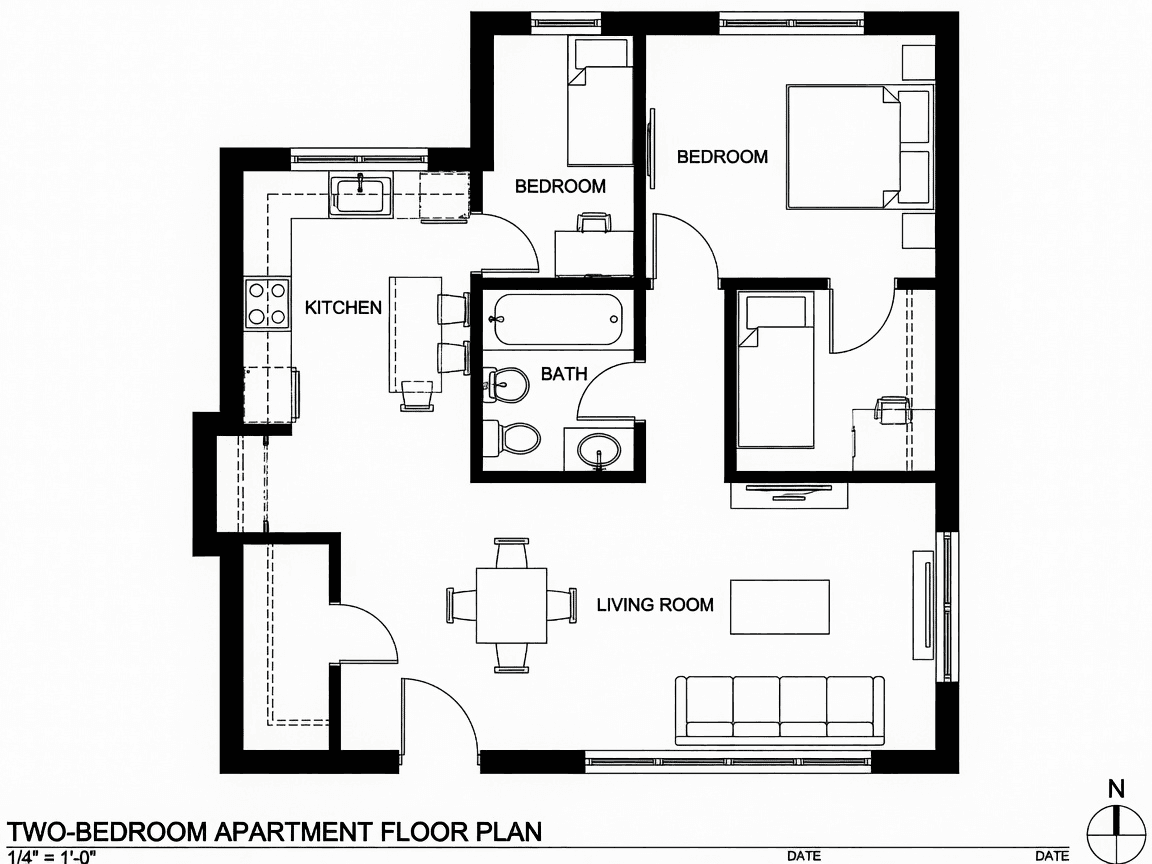
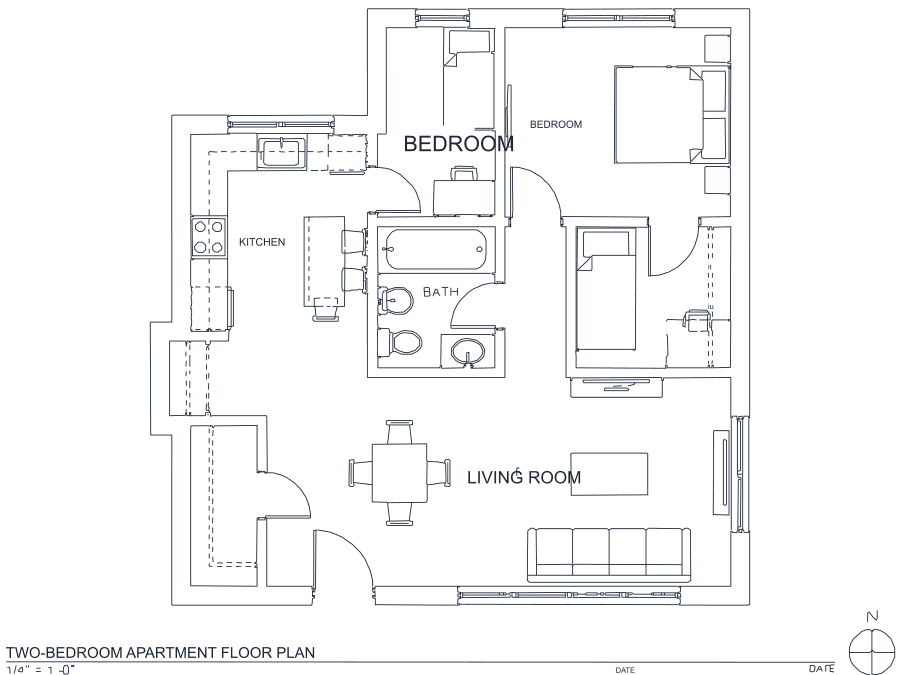
A floor plan with solid walls, furniture and text — and the CAD geometry this converter produces from it. Walls keep both faces, every thin line is a single editable polyline, and labels become real editable text.
About AVIF to DWG conversion
AVIF is the newest mainstream web image format — AV1 video compression applied to still pictures — and it is very good at its job, which is why sites keep adopting it. Desktop software has not caught up. No CAD application reads AVIF, most image viewers still shrug at it, and even some general-purpose converters do not list it, so the usual advice is to open it in a browser, screenshot it, and work from that.
Screenshotting is exactly what you should not do: it re-encodes an already-lossy image at whatever resolution your monitor happens to be, and throws detail away twice. This page decodes the AVIF natively, at full resolution, straight into the cleanup stage — one decode, no second generation of loss. AVIF is normally lossy, so the same rule as JPG applies: work from the largest version of the image you can get, because a hairline that compression has already blurred into the background cannot be recovered by any tracer.
Frequently asked questions
Convert from a script or an AI agent
The same conversion is one HTTP call — no key, no account, no rate limit. The full machine-readable spec lives at /llms.txt.
curl -X POST https://nasji.com/api/convert \
  -F "[email protected]" \
  -F "target=dwg" \
  -o drawing.dwg