 NASJI
NASJIFree forever · No sign-up · No watermark
WEBP to DWG Converter
Saved a plan from a website and got a .webp your CAD refuses to open? Drop it here and download a real DWG of editable geometry instead.
Drop images here, or click to choose
Conversion starts immediately. Up to 100 MB per file. You can also paste a screenshot
How to convert WEBP to DWG
Upload your WEBP file
Drop your .webp on the converter, click to browse, or paste a screenshot with Ctrl+V.
We trace the lines
The WEBP is decoded server-side to a lossless working image first, so lossy WEBP block edges never reach the tracer.
Download a real DWG
You get a native 2018-format DWG with editable LWPOLYLINE geometry on its own A-SKETCH layer — editable geometry, ready to draft on, not a picture to trace again.
What you get: lines, not pictures
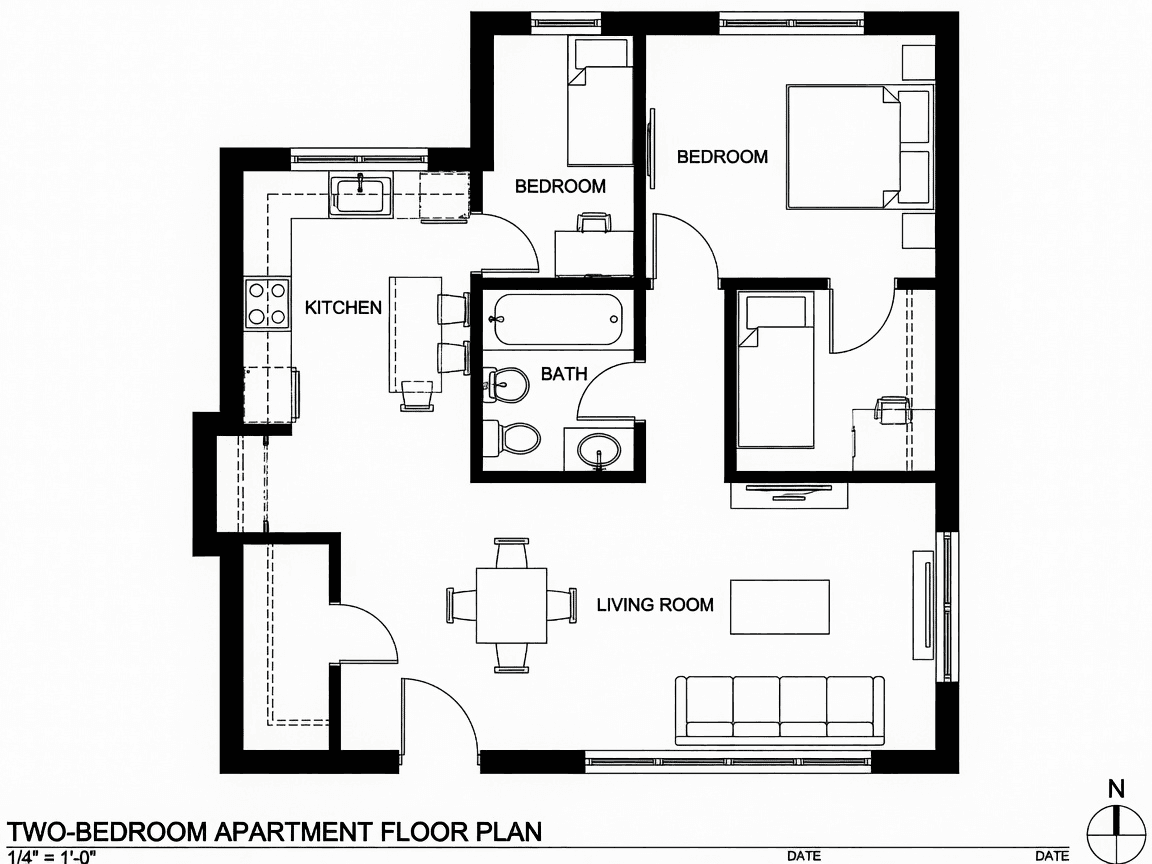
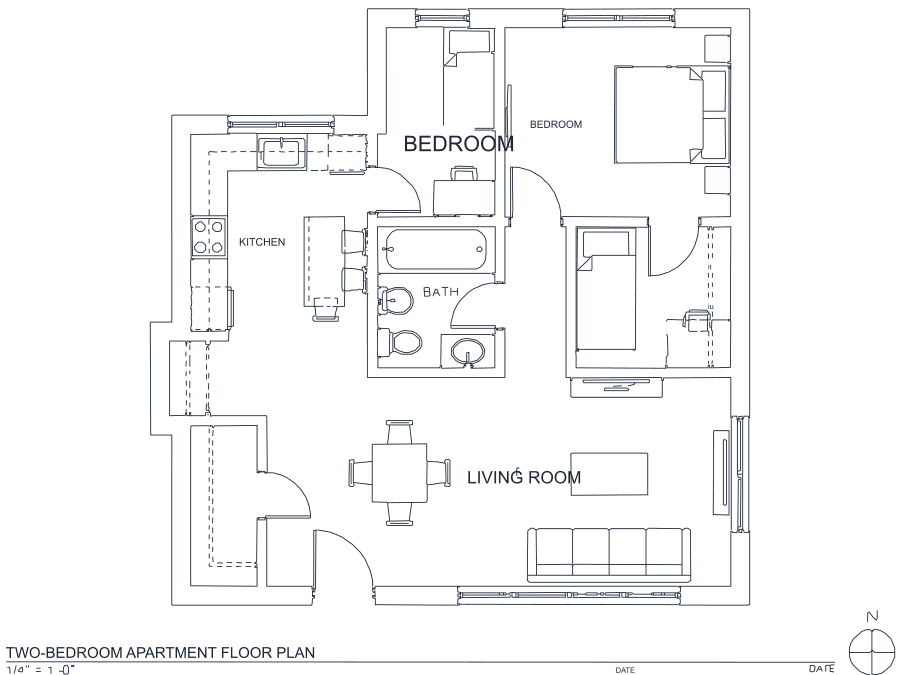
A floor plan with solid walls, furniture and text — and the CAD geometry this converter produces from it. Walls keep both faces, every thin line is a single editable polyline, and labels become real editable text.
About WEBP to DWG conversion
WEBP is what a modern browser hands you when you right-click and save an image, which is why property listings, forum threads and manufacturer sites now deliver drawings in it. It is also the format most desktop software still cannot read. The raster-attach filter lists in mainstream CAD were fixed long before WEBP existed and have rarely been extended, so the usual workflow is a detour through some other converter just to get a PNG you can attach — and attaching still leaves you tracing by hand.
This page removes both steps. The WEBP is decoded here and the drawing comes back as DWG geometry, so your CAD never has to understand the original file at all. Worth knowing: WEBP has a lossy mode as well as a lossless one, and web-saved images are usually lossy. The decode happens before any measurement so block edges are handled in the cleanup stage, but as with any lossy source, a line that compression already smeared into the background cannot be recovered — grab the highest-resolution version of the image the site offers.
Frequently asked questions
Convert from a script or an AI agent
The same conversion is one HTTP call — no key, no account, no rate limit. The full machine-readable spec lives at /llms.txt.
curl -X POST https://nasji.com/api/convert \
  -F "[email protected]" \
  -F "target=dwg" \
  -o drawing.dwg