 NASJI
NASJIFree forever · No sign-up · No watermark
ICO to DWG Converter
Upload a .ico and get a DWG of its largest frame as editable polylines. Free, instant, no account.
Drop images here, or click to choose
Conversion starts immediately. Up to 100 MB per file. You can also paste a screenshot
How to convert ICO to DWG
Upload your ICO file
Drop your .ico on the converter, click to browse, or paste a screenshot with Ctrl+V.
We trace the lines
Every frame inside the .ico is decoded and the largest one is chosen automatically, because it carries the most detail for the tracer to work with.
Download a real DWG
You get a native 2018-format DWG with editable LWPOLYLINE geometry on its own A-SKETCH layer — editable geometry, ready to draft on, not a picture to trace again.
What you get: lines, not pictures
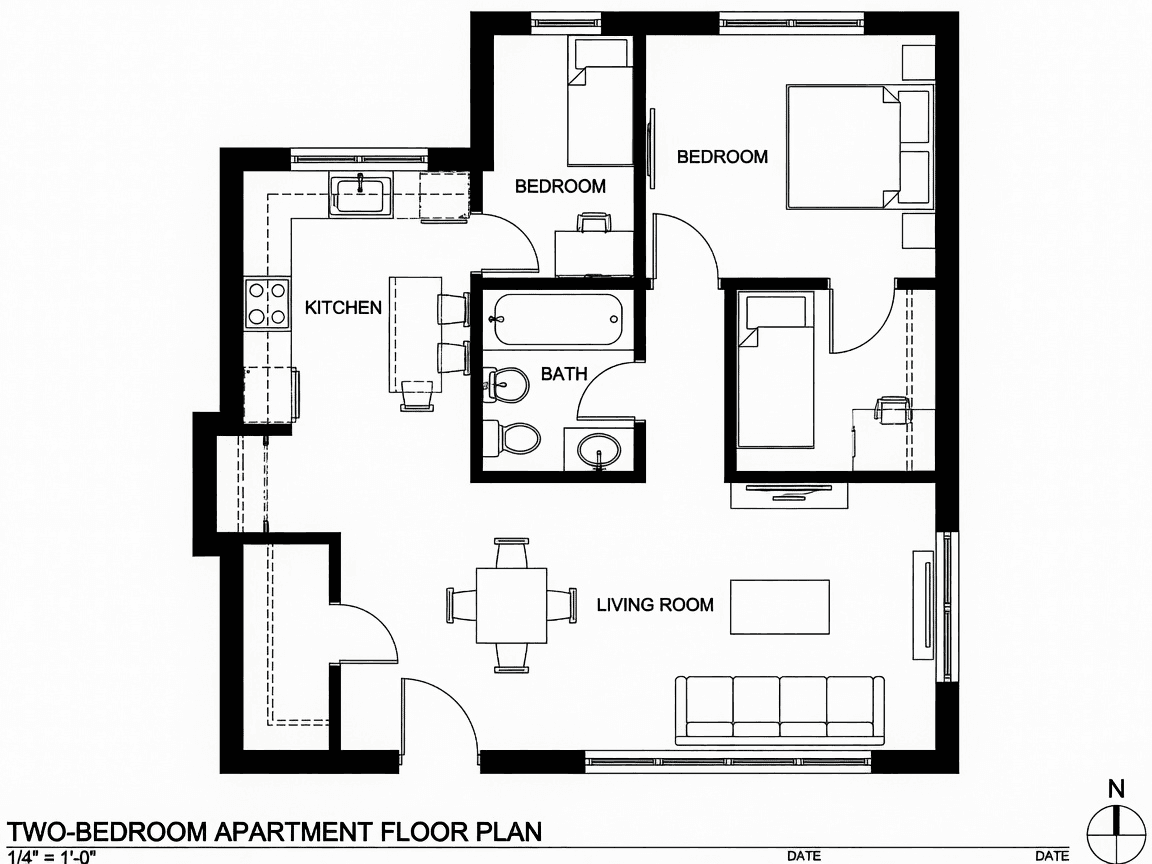
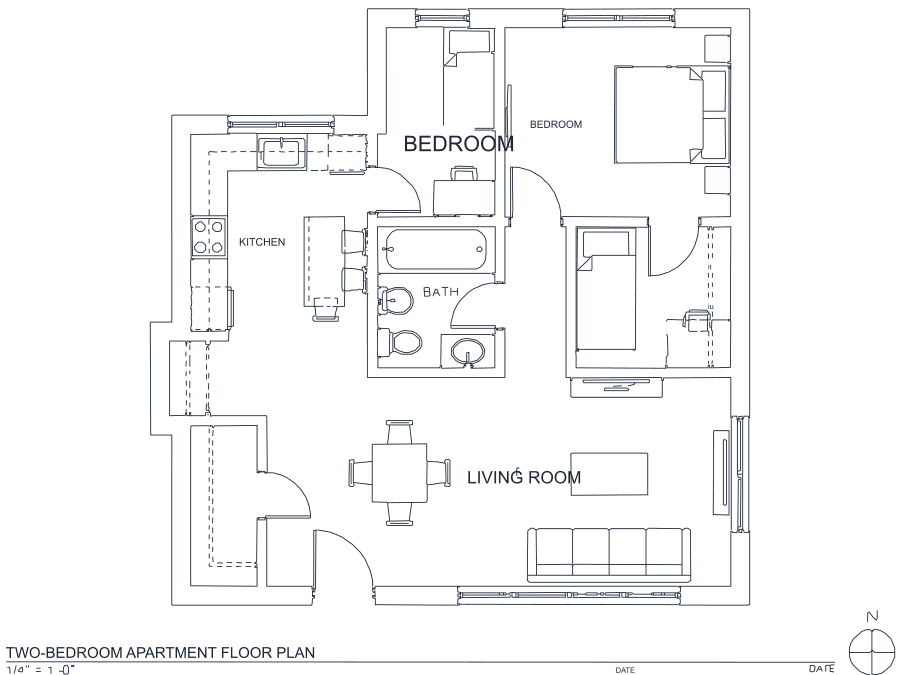
A floor plan with solid walls, furniture and text — and the CAD geometry this converter produces from it. Walls keep both faces, every thin line is a single editable polyline, and labels become real editable text.
About ICO to DWG conversion
An .ico is not one image but a small archive of the same picture at several sizes — 16×16, 32×32, 48×48 and, on anything made this century, 256×256. It exists so Windows and browsers can pick the right size without scaling, and it occasionally becomes the last surviving copy of a company mark after a rebrand: the website is gone, the design files are gone, but the favicon is still sitting in a backup somewhere.
That recovery job is what this page is for. Every frame is decoded and the largest is selected automatically, since more pixels means more for the tracer to work with. Be realistic about the ceiling: a 256×256 icon holds enough shape to give a usable DWG outline you can clean up and build a proper drawing from, while a 16×16 one is thirty or forty meaningful pixels and will produce a blocky approximation at best. Icons are usually solid shapes rather than line art, so expect outlined regions — both edges of every form — rather than centerlines.
Frequently asked questions
Convert from a script or an AI agent
The same conversion is one HTTP call — no key, no account, no rate limit. The full machine-readable spec lives at /llms.txt.
curl -X POST https://nasji.com/api/convert \
  -F "[email protected]" \
  -F "target=dwg" \
  -o drawing.dwg