 NASJI
NASJIFree forever · No sign-up · No watermark
PNG to DWG Converter
Drop a .png floor plan, schematic or logo below and download a native DWG of editable polylines. Free, no account, nothing to install.
Drop images here, or click to choose
Conversion starts immediately. Up to 100 MB per file. You can also paste a screenshot
How to convert PNG to DWG
Upload your PNG file
Drop your .png on the converter, click to browse, or paste a screenshot with Ctrl+V.
We trace the lines
Transparent pixels are flattened onto white paper, then the remaining ink is thinned to a one-pixel skeleton and walked into single centerline polylines.
Download a real DWG
You get a native 2018-format DWG with editable LWPOLYLINE geometry on its own A-SKETCH layer — editable geometry, ready to draft on, not a picture to trace again.
What you get: lines, not pictures
A floor plan with solid walls, furniture and text — and the CAD geometry this converter produces from it. Walls keep both faces, every thin line is a single editable polyline, and labels become real editable text.
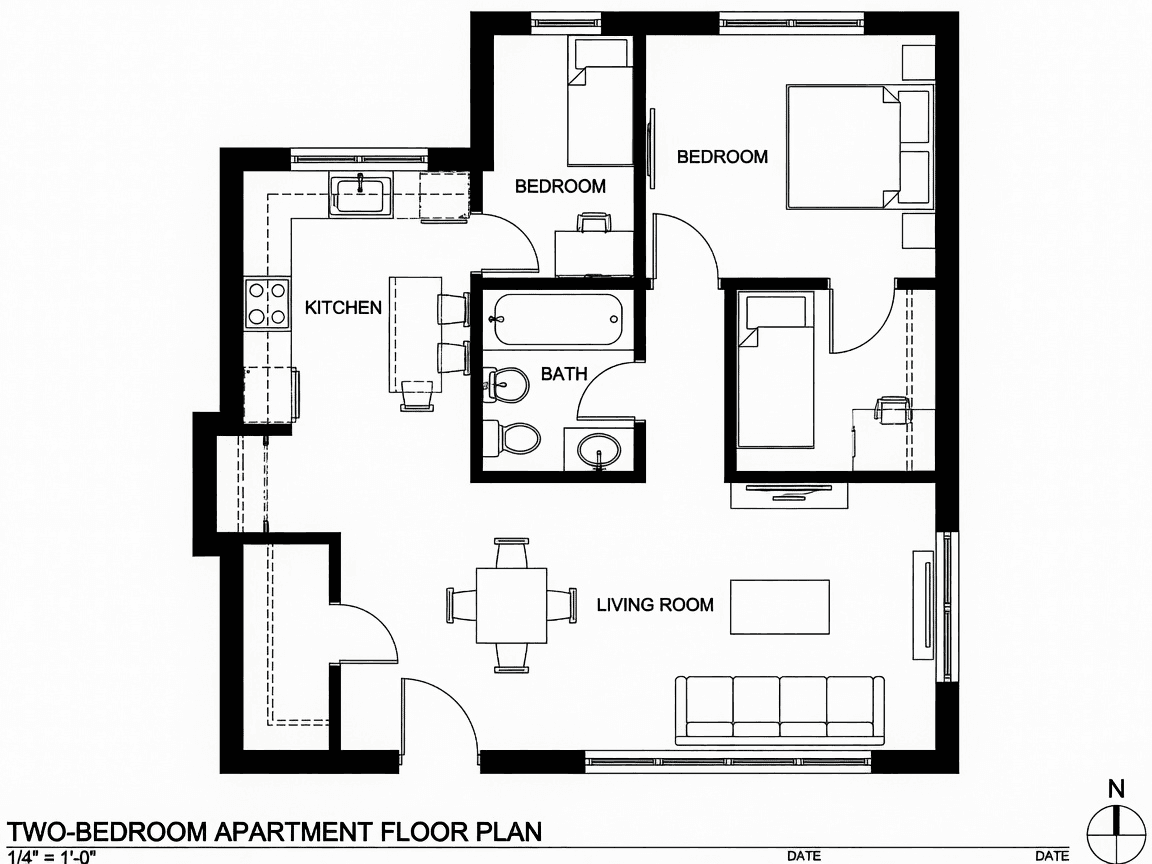
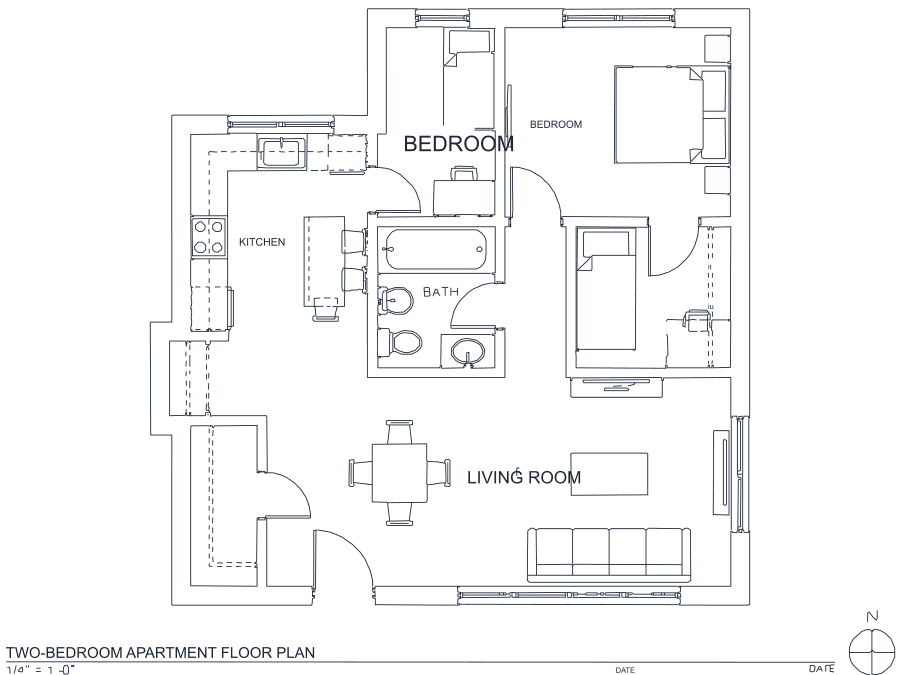
About PNG to DWG conversion
PNG is the format drawings usually end up in once they leave a CAD seat: lossless compression means a screenshot of a plan, an exported schematic or a logo keeps pin-sharp edges, and sharp edges are exactly what a tracer wants. There is no blocking, no ringing and no colour bleed to undo first, so PNG is the highest-fidelity raster input this converter accepts.
The one PNG-specific thing worth knowing is the alpha channel. DWG has no notion of transparency, so transparent regions are composited onto white before anything is measured — a logo exported with a transparent background converts identically to one on a white card. Everything that survives thresholding lands as LWPOLYLINE geometry on an A-SKETCH layer, so you can freeze it, recolour it or draft straight on top of it in your CAD.
Frequently asked questions
Convert from a script or an AI agent
The same conversion is one HTTP call — no key, no account, no rate limit. The full machine-readable spec lives at /llms.txt.
curl -X POST https://nasji.com/api/convert \
  -F "[email protected]" \
  -F "target=dwg" \
  -o drawing.dwg