 NASJI
NASJIFree forever · No sign-up · No watermark
SVG to DWG Converter
Upload an .svg logo, icon or pattern and download a native DWG of plain polylines — no SVG import plugin, no clean-up afterwards.
Drop images here, or click to choose
Conversion starts immediately. Up to 100 MB per file. You can also paste a screenshot
How to convert SVG to DWG
Upload your SVG file
Drop your .svg on the converter, click to browse, or paste a screenshot with Ctrl+V.
We trace the lines
The SVG is rendered at 300 DPI so hairline strokes survive, then re-vectorized into plain polylines with no gradients, masks or font dependencies.
Download a real DWG
You get a native 2018-format DWG with editable LWPOLYLINE geometry on its own A-SKETCH layer — editable geometry, ready to draft on, not a picture to trace again.
What you get: lines, not pictures
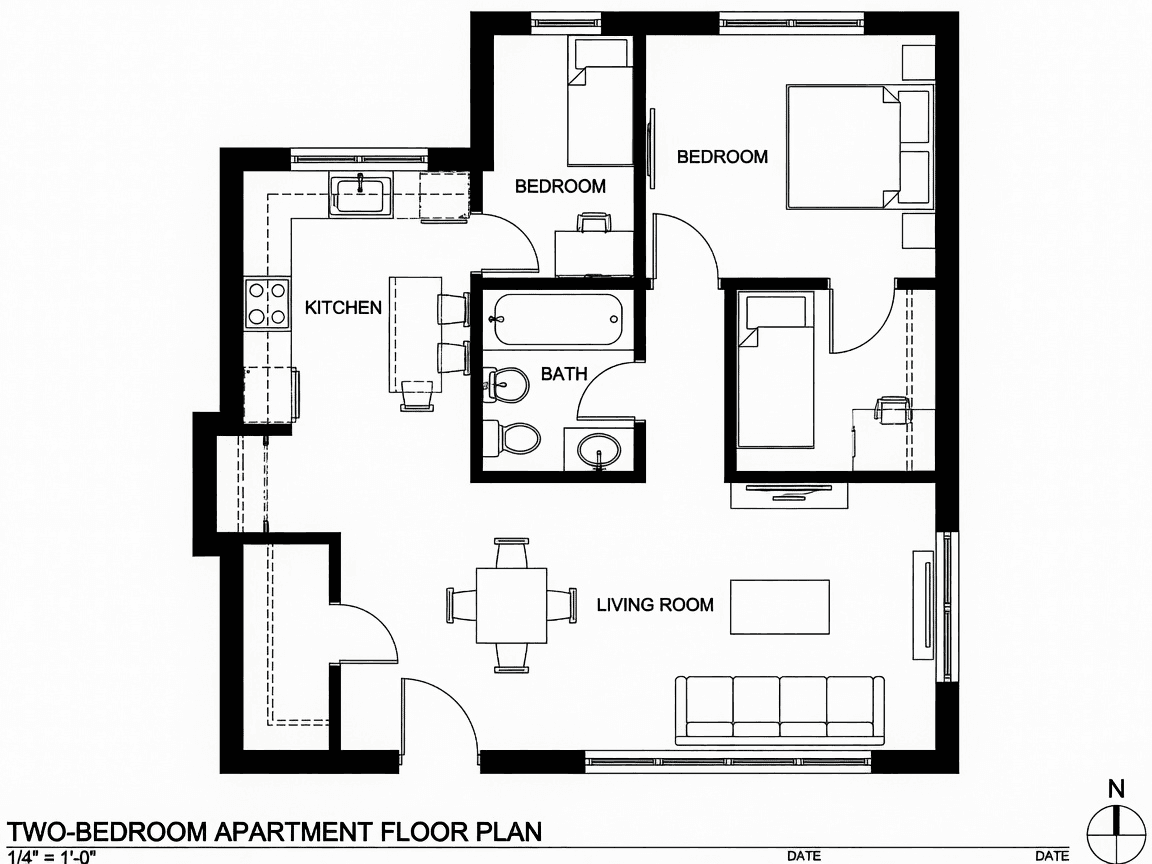
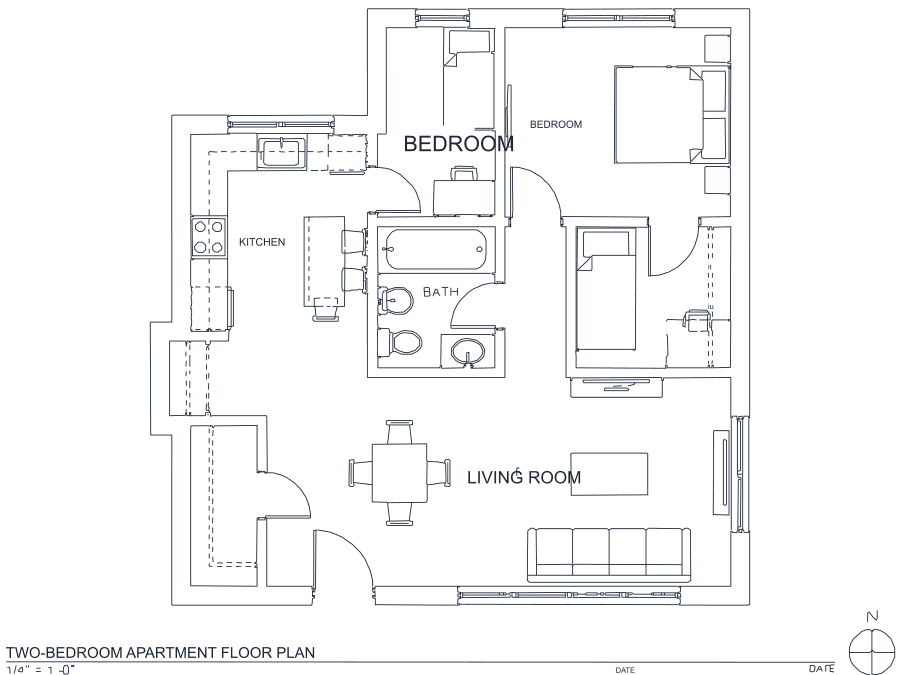
A floor plan with solid walls, furniture and text — and the CAD geometry this converter produces from it. Walls keep both faces, every thin line is a single editable polyline, and labels become real editable text.
About SVG to DWG conversion
SVG is already vector, so the honest question is why it is re-traced rather than translated node for node. The answer is that SVG and DWG are barely the same kind of thing. SVG carries gradients, opacity, clip paths, masks, filters, patterns, transforms and text bound to web fonts that may not exist on the machine opening the file. DWG has none of that. A direct translator has to decide what to do with every unmappable feature, and the usual outcome is a file that opens with pieces silently missing or mangled — which is exactly the complaint people bring to this page after trying an importer.
Rendering the SVG and re-vectorizing it trades node-perfect fidelity for something more useful: a guarantee. Whatever the SVG contained, the DWG that comes out is plain LWPOLYLINE geometry on an A-SKETCH layer that will open, look right and be editable in any CAD program that reads 2018-format DWG. The render happens at 300 DPI so hairline strokes are not lost, and text set in a webfont is rasterized and read back with OCR rather than silently substituted with a font your CAD seat happens to have.
Frequently asked questions
Convert from a script or an AI agent
The same conversion is one HTTP call — no key, no account, no rate limit. The full machine-readable spec lives at /llms.txt.
curl -X POST https://nasji.com/api/convert \
  -F "[email protected]" \
  -F "target=dwg" \
  -o drawing.dwg