 NASJI
NASJIFree forever · No sign-up · No watermark
Image to DWG Converter
Any picture of a drawing — a scan, a photo of a sketch, an exported plan — into a native DWG you can draft on. Drop it below and the DWG is seconds away.
Drop images here, or click to choose
Conversion starts immediately. Up to 100 MB per file. You can also paste a screenshot
How to convert image to DWG
Upload your image
Drop your image on the converter, click to browse, or paste a screenshot with Ctrl+V.
We trace the lines
Every format is normalized to one clean black-and-white working image before tracing, so a WEBP and a TIFF of the same drawing converge on the same geometry.
Download a real DWG
You get a native 2018-format DWG with editable LWPOLYLINE geometry on its own A-SKETCH layer — editable geometry, ready to draft on, not a picture to trace again.
What you get: lines, not pictures
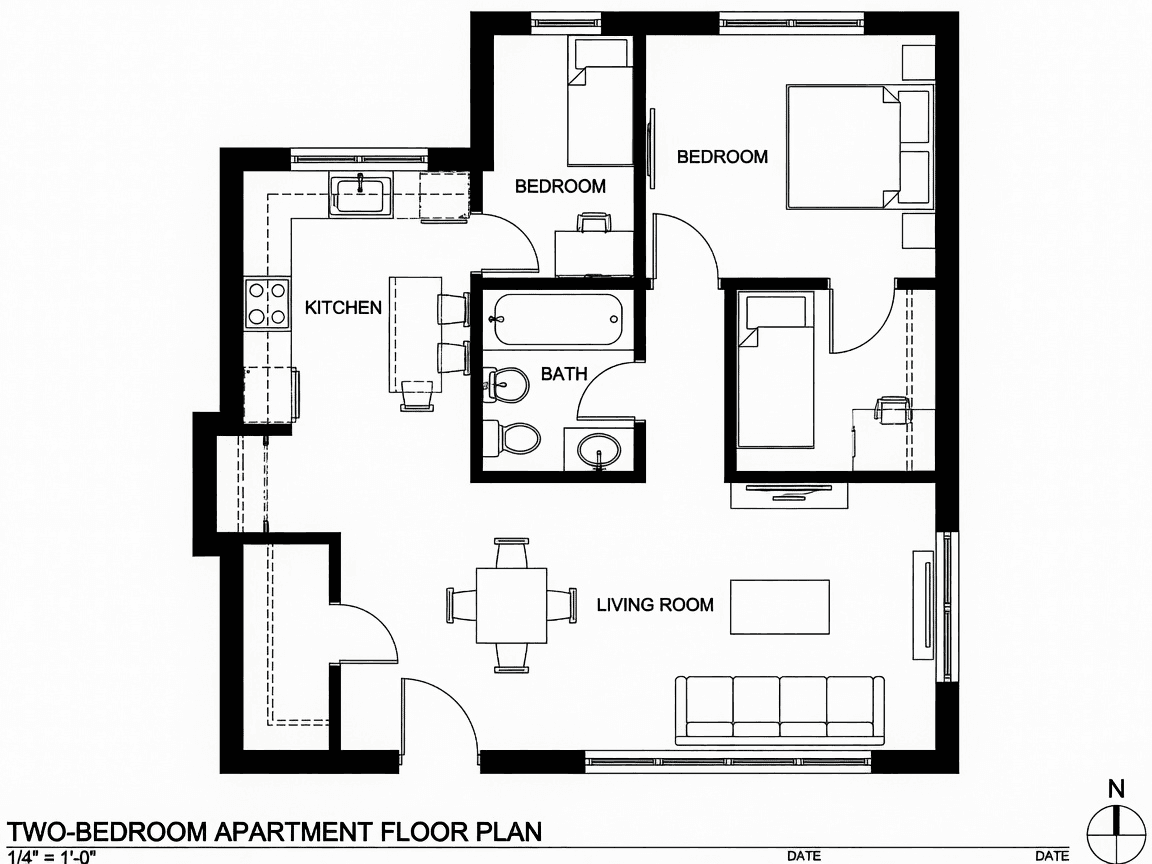
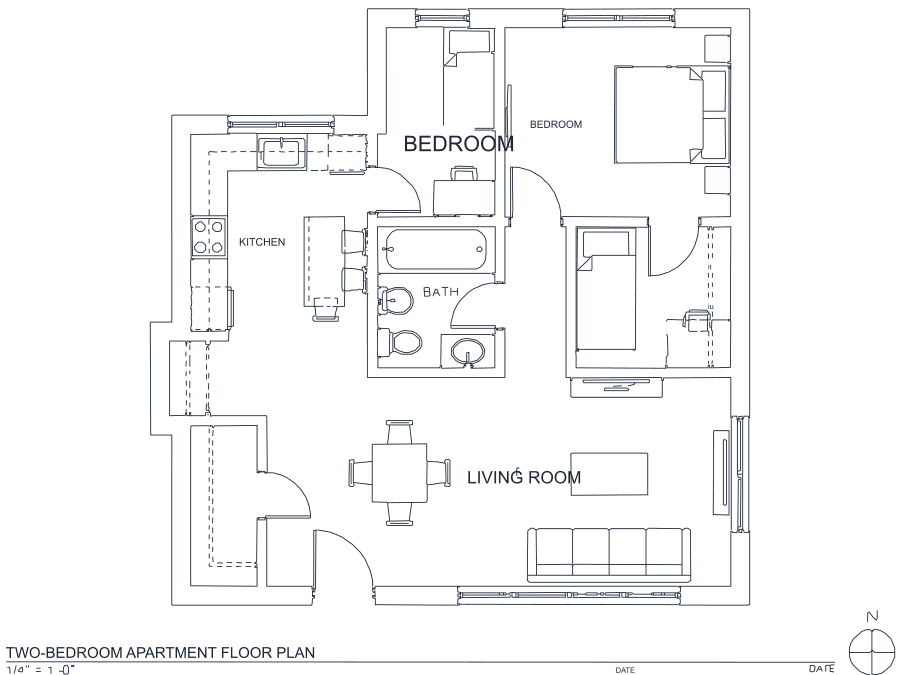
A floor plan with solid walls, furniture and text — and the CAD geometry this converter produces from it. Walls keep both faces, every thin line is a single editable polyline, and labels become real editable text.
About image to DWG conversion
Most tools that claim to convert an image to DWG simply wrap your picture inside a DWG container: the file opens in your CAD, and what you see is still a photograph, with nothing to snap to and nothing to trim. This one produces geometry. The result is a 2018-format DWG whose contents are LWPOLYLINE entities on an A-SKETCH layer, with recognized labels as editable TEXT — the difference between a drawing you can work on and a picture you still have to trace by hand.
It is the drafting pipeline of the NASJI CAD program, pointed at a single job. Ink thickness decides how each mark is treated: a thin line becomes one polyline down its centre, while a solid filled region — a poché wall, an arrowhead — is traced along both of its real edges, so walls keep their two faces instead of collapsing into one line nobody drew. The saved view is written into the file as well, so the drawing is framed on screen the moment it opens rather than needing a zoom-to-extents first.
Frequently asked questions
Convert from a script or an AI agent
The same conversion is one HTTP call — no key, no account, no rate limit. The full machine-readable spec lives at /llms.txt.
curl -X POST https://nasji.com/api/convert \
  -F "[email protected]" \
  -F "target=dwg" \
  -o drawing.dwg