 NASJI
NASJIFree forever · No sign-up · No watermark
BMP to DXF Converter
Upload an uncompressed .bmp and download a DXF of clean editable polylines for CAD and CNC. Files up to 100 MB, free, no sign-up.
Drop images here, or click to choose
Conversion starts immediately. Up to 100 MB per file. You can also paste a screenshot
How to convert BMP to DXF
Upload your BMP file
Drop your .bmp on the converter, click to browse, or paste a screenshot with Ctrl+V.
We trace the lines
Raw uncompressed pixels mean there is no codec damage to undo — the threshold works on precisely the tones the scanner or camera recorded.
Download a real DXF
You get an R2000 ASCII DXF with editable LWPOLYLINE geometry — the open CAD exchange format — editable geometry, ready to draft on, not a picture to trace again.
What you get: lines, not pictures
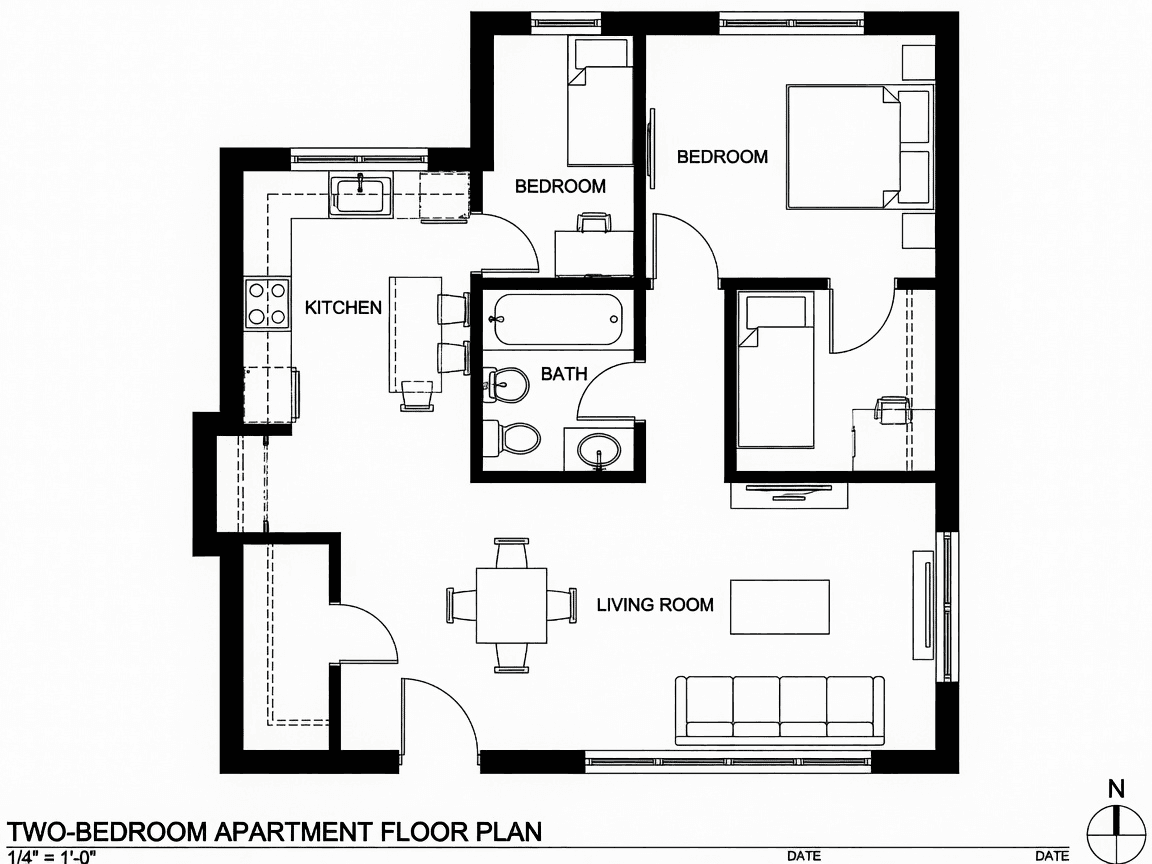
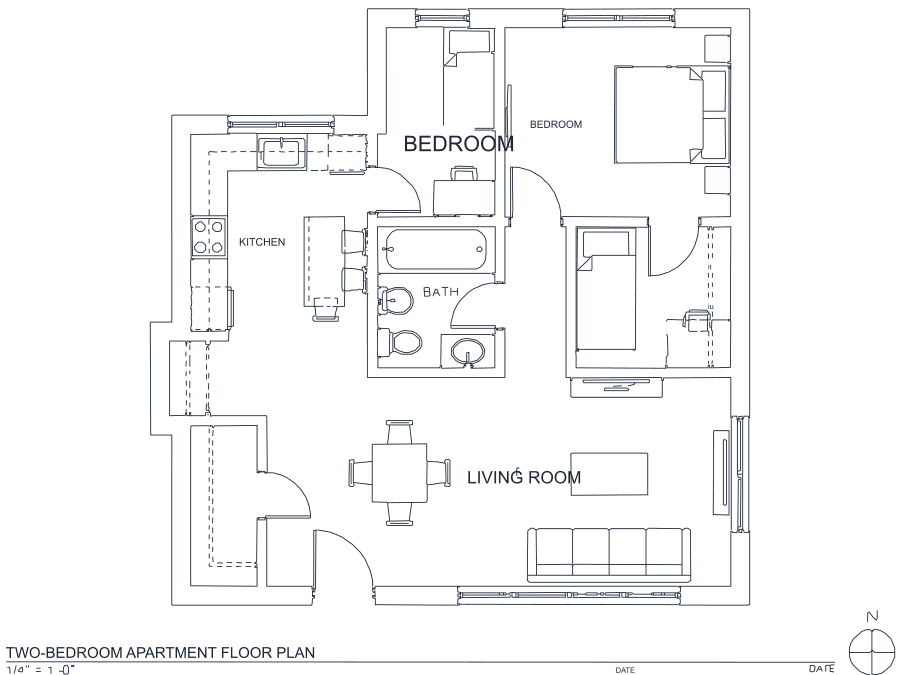
A floor plan with solid walls, furniture and text — and the CAD geometry this converter produces from it. Walls keep both faces, every thin line is a single editable polyline, and labels become real editable text.
About BMP to DXF conversion
BMP persists in exactly the places that also need DXF: machine-vision cameras, older scanner drivers, shop-floor inspection software and industrial Windows utilities that were written once and never touched again. The format stores raw pixels with no compression, so files are large and absolutely faithful. For a converter aimed at producing cut paths that is close to ideal — there is no ringing to threshold away, no block structure to mistake for geometry, and no quality setting anyone could have got wrong.
1-bit BMP files deserve a special mention because they are common from bilevel scanners and they are the best possible input to this pipeline: the image is already black and white, so binarization is effectively a no-op and every traced edge sits exactly on a real pixel boundary. Size is the only friction — the 100 MB limit covers most full-sheet scans, and anything larger can be re-saved as PNG with zero quality loss. Output is R2000 ASCII DXF for maximum compatibility with older machine controllers.
Frequently asked questions
Convert from a script or an AI agent
The same conversion is one HTTP call — no key, no account, no rate limit. The full machine-readable spec lives at /llms.txt.
curl -X POST https://nasji.com/api/convert \
  -F "[email protected]" \
  -F "target=dxf" \
  -o drawing.dxf