 NASJI
NASJIFree forever · No sign-up · No watermark
JPEG to DXF Converter
Upload a .jpeg and download a DXF of editable polylines. Works on scans, exports and photographs of drawings — free, no account, no watermark.
Drop images here, or click to choose
Conversion starts immediately. Up to 100 MB per file. You can also paste a screenshot
How to convert JPEG to DXF
Upload your JPEG file
Drop your .jpeg on the converter, click to browse, or paste a screenshot with Ctrl+V.
We trace the lines
An adaptive threshold reads each photo's own histogram, so uneven lighting across the page still resolves to clean black ink on white.
Download a real DXF
You get an R2000 ASCII DXF with editable LWPOLYLINE geometry — the open CAD exchange format — editable geometry, ready to draft on, not a picture to trace again.
What you get: lines, not pictures
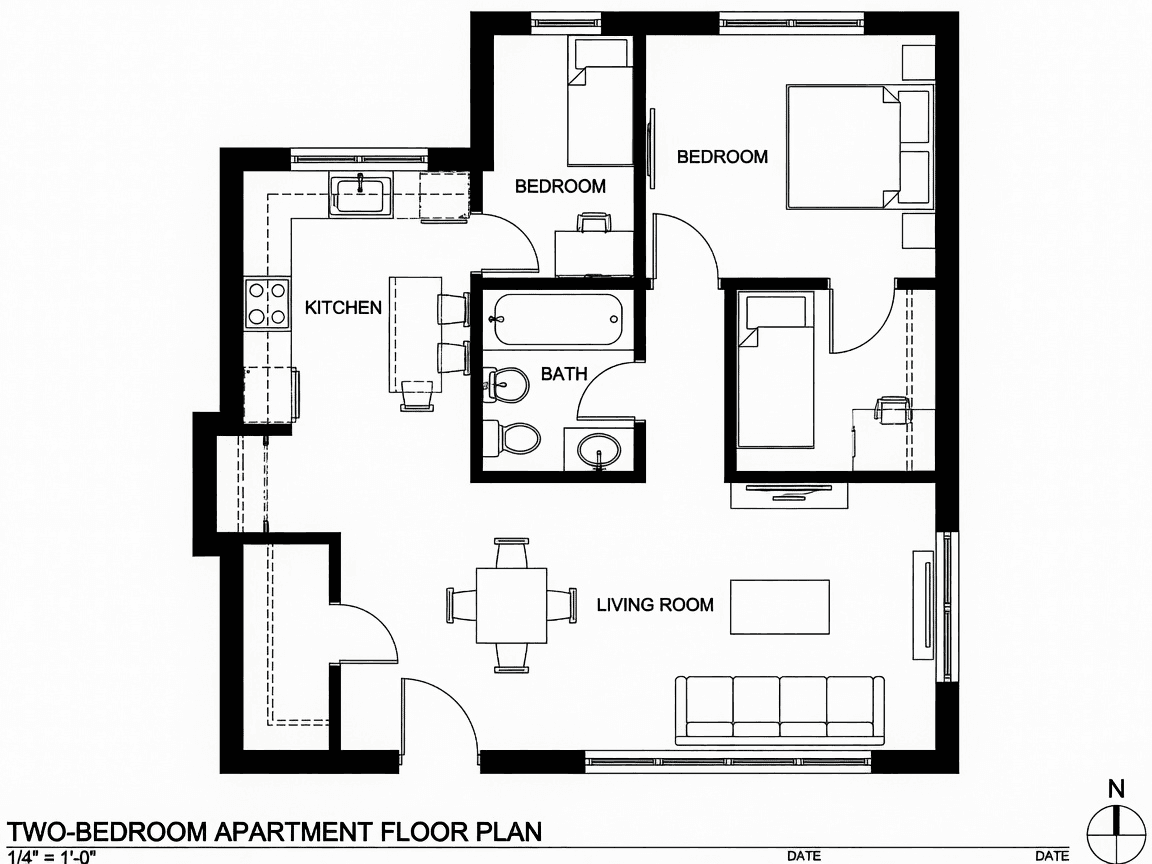
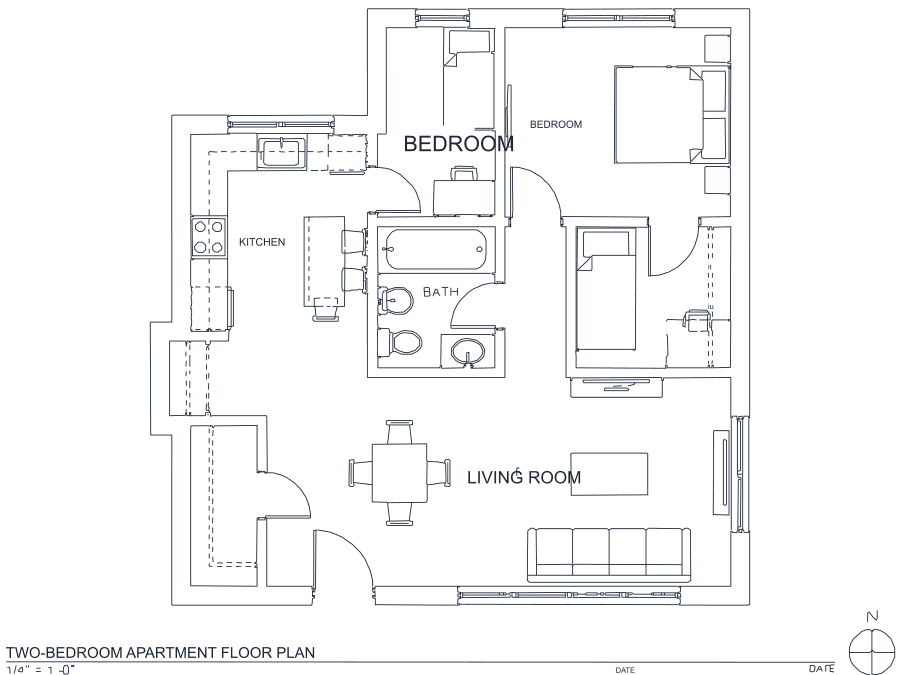
A floor plan with solid walls, furniture and text — and the CAD geometry this converter produces from it. Walls keep both faces, every thin line is a single editable polyline, and labels become real editable text.
About JPEG to DXF conversion
Files carrying the long .jpeg extension usually come from cameras and mail clients rather than scanners, so this page sees more photographs than any other. Photographs bring a specific difficulty that scans do not: the page is not evenly lit. One corner is brighter than the other, there is a shadow where the photographer stood, and a single fixed brightness cut-off will inevitably eat the ink on the dim side or turn the bright side to noise.
The threshold used here is derived from each image's own tonal distribution rather than fixed in advance, which is what lets a gradient-lit photo resolve to clean black-on-white. From there the ink is skeletonized and walked into polylines, and the DXF that comes out is R2000 ASCII — the variant with the widest support in CAD, CAM and machine software. If a page is lit so unevenly that one edge is genuinely dark grey, reshoot rather than fight it: five seconds of better light beats any amount of downstream processing.
Frequently asked questions
Convert from a script or an AI agent
The same conversion is one HTTP call — no key, no account, no rate limit. The full machine-readable spec lives at /llms.txt.
curl -X POST https://nasji.com/api/convert \
  -F "[email protected]" \
  -F "target=dxf" \
  -o drawing.dxf