 NASJI
NASJIFree forever · No sign-up · No watermark
WEBP to DXF Converter
Downloaded a .webp plan or pattern? Upload it here and download a DXF of editable polylines for CAD, laser cutting or CNC. Free, no sign-up.
Drop images here, or click to choose
Conversion starts immediately. Up to 100 MB per file. You can also paste a screenshot
How to convert WEBP to DXF
Upload your WEBP file
Drop your .webp on the converter, click to browse, or paste a screenshot with Ctrl+V.
We trace the lines
The WEBP is decoded to a lossless working image before measurement, so no second generation of compression is added on the way to the DXF.
Download a real DXF
You get an R2000 ASCII DXF with editable LWPOLYLINE geometry — the open CAD exchange format — editable geometry, ready to draft on, not a picture to trace again.
What you get: lines, not pictures
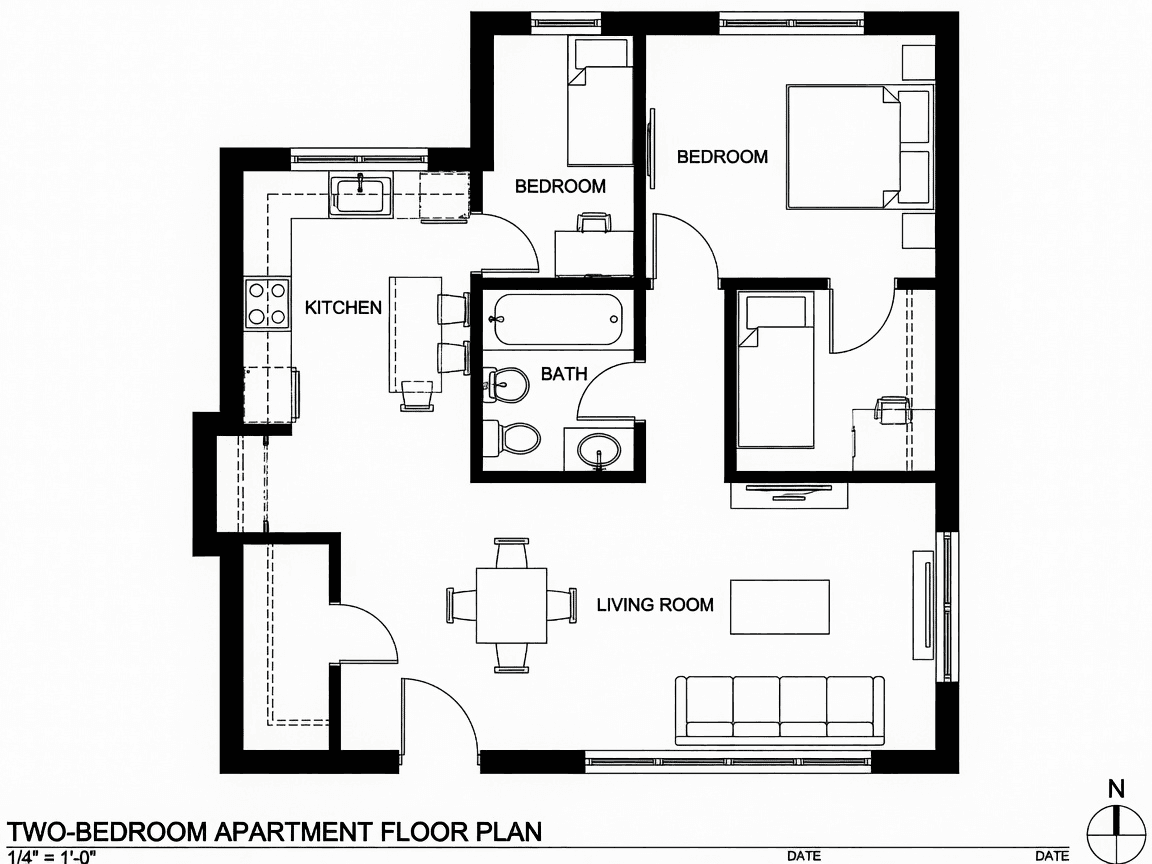
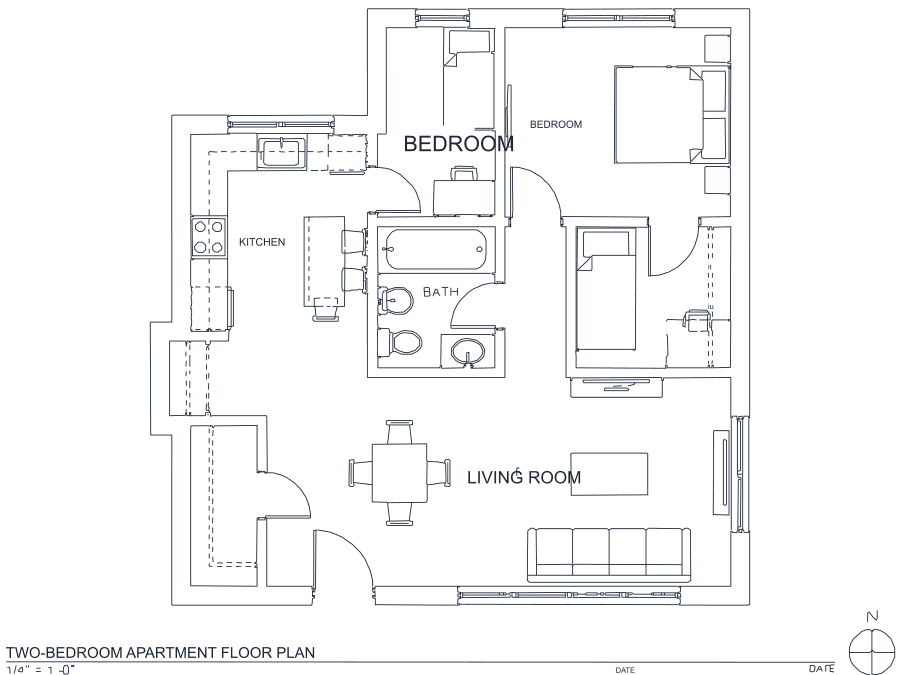
A floor plan with solid walls, furniture and text — and the CAD geometry this converter produces from it. Walls keep both faces, every thin line is a single editable polyline, and labels become real editable text.
About WEBP to DXF conversion
Almost every WEBP that reaches a CAD user was saved from a web page — a plan on a property listing, a pattern on a maker forum, a diagram in a manufacturer's documentation. Browsers hand out WEBP now because it compresses better than JPEG, and nobody chooses it deliberately. The friction shows up immediately afterwards: CAD and CAM software largely does not read it, so the standard workaround is a round trip through a general-purpose image converter before you can even see the file in your tool.
Going straight to DXF collapses that whole detour, and it is also the better technical path — a manual detour through JPG would add a second generation of lossy encoding for no benefit, whereas the decode here goes directly into the cleanup stage. Two things to keep in mind: web-sourced WEBP is usually lossy, so download the largest version the site offers, and animated WEBP is converted from its first frame only. The result is R2000 ASCII DXF, which LibreCAD, QCAD, LightBurn and VCarve all open natively.
Frequently asked questions
Convert from a script or an AI agent
The same conversion is one HTTP call — no key, no account, no rate limit. The full machine-readable spec lives at /llms.txt.
curl -X POST https://nasji.com/api/convert \
  -F "[email protected]" \
  -F "target=dxf" \
  -o drawing.dxf