 NASJI
NASJIFree forever · No sign-up · No watermark
JPEG to DWG Converter
Upload a .jpeg — a photographed whiteboard, a hand sketch, a scanned sheet — and download it as a DWG of editable lines and real text.
Drop images here, or click to choose
Conversion starts immediately. Up to 100 MB per file. You can also paste a screenshot
How to convert JPEG to DWG
Upload your JPEG file
Drop your .jpeg on the converter, click to browse, or paste a screenshot with Ctrl+V.
We trace the lines
An adaptive threshold flattens the photograph to pure black and white, OCR lifts the labels out, and only then is the remaining ink vectorized.
Download a real DWG
You get a native 2018-format DWG with editable LWPOLYLINE geometry on its own A-SKETCH layer — editable geometry, ready to draft on, not a picture to trace again.
What you get: lines, not pictures
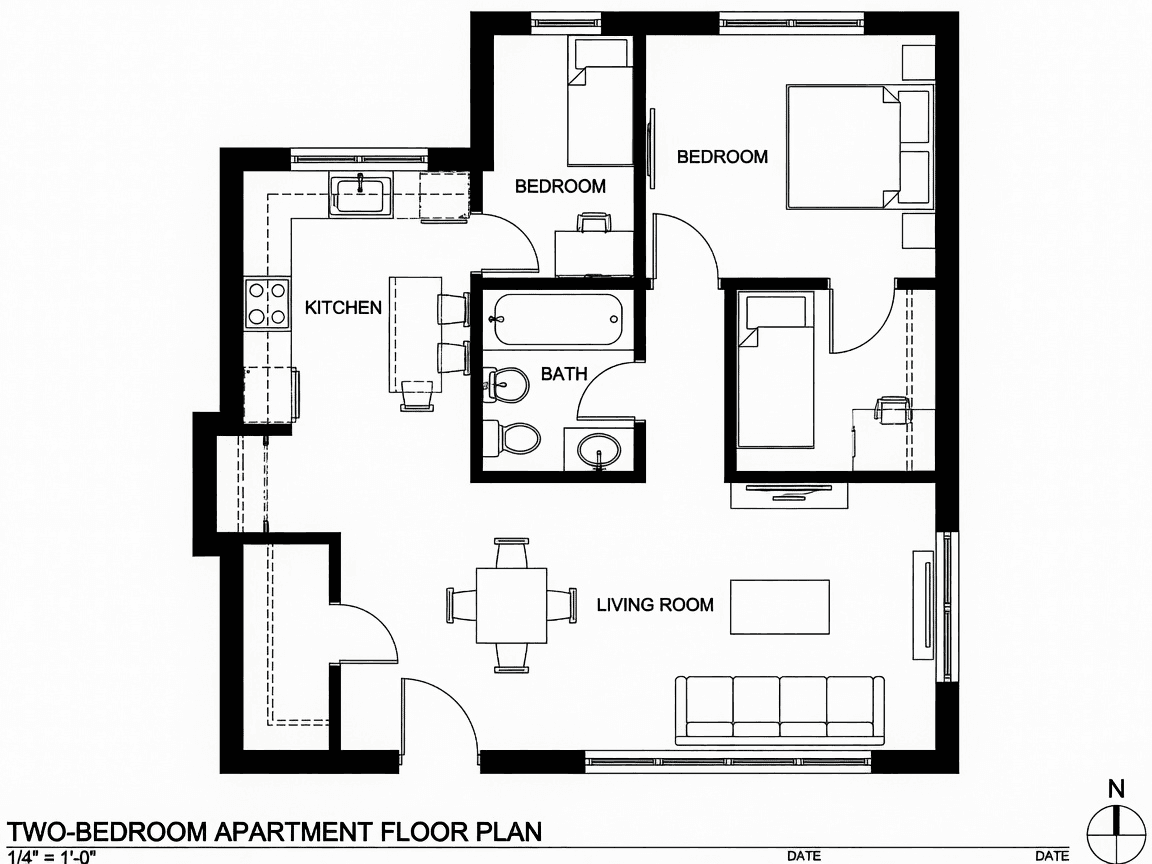
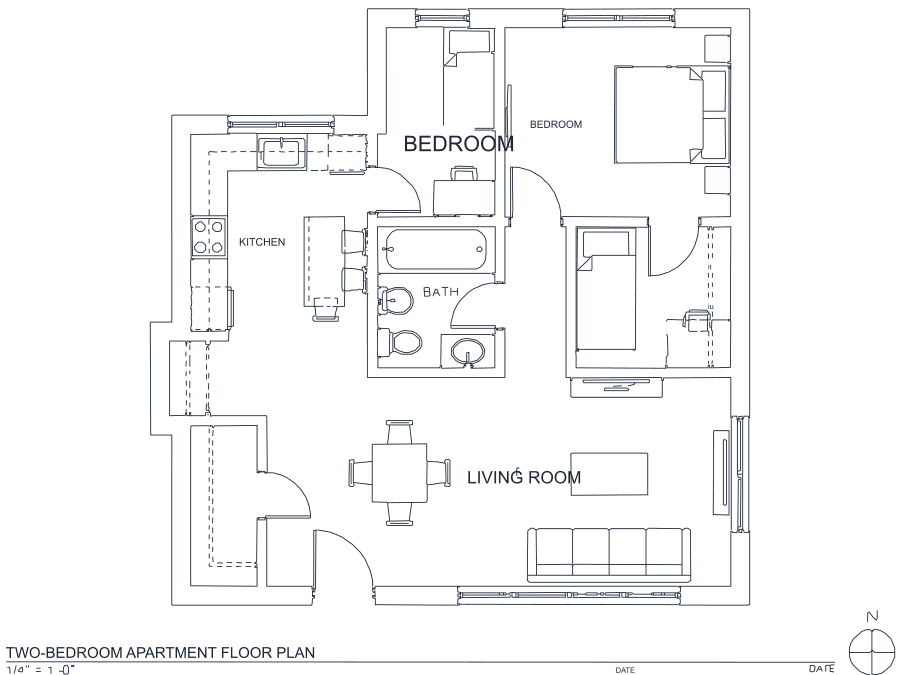
A floor plan with solid walls, furniture and text — and the CAD geometry this converter produces from it. Walls keep both faces, every thin line is a single editable polyline, and labels become real editable text.
About JPEG to DWG conversion
The long spelling of the extension tends to travel with a particular kind of file: camera output and email attachments rather than scanner output. That means .jpeg uploads here are overwhelmingly photographs — a whiteboard after a meeting, a napkin sketch, a site drawing held down at the corners — and photographs bring problems a scan does not. Perspective, uneven lighting, a shadow from the person taking the shot, and a page tone that shifts from one corner to the other.
That is why the threshold used here is computed from the picture in front of it rather than fixed: a page that is bright on the left and dim on the right still resolves to clean black ink on white. Labels are the other half of the problem. On a photographed sketch, handwritten and printed text is often the most valuable content on the sheet, so it is recognized with OCR and lifted out of the raster before tracing, then written back as editable CAD TEXT at the measured height — rather than becoming a few hundred meaningless outline polylines.
Frequently asked questions
Convert from a script or an AI agent
The same conversion is one HTTP call — no key, no account, no rate limit. The full machine-readable spec lives at /llms.txt.
curl -X POST https://nasji.com/api/convert \
  -F "[email protected]" \
  -F "target=dwg" \
  -o drawing.dwg